
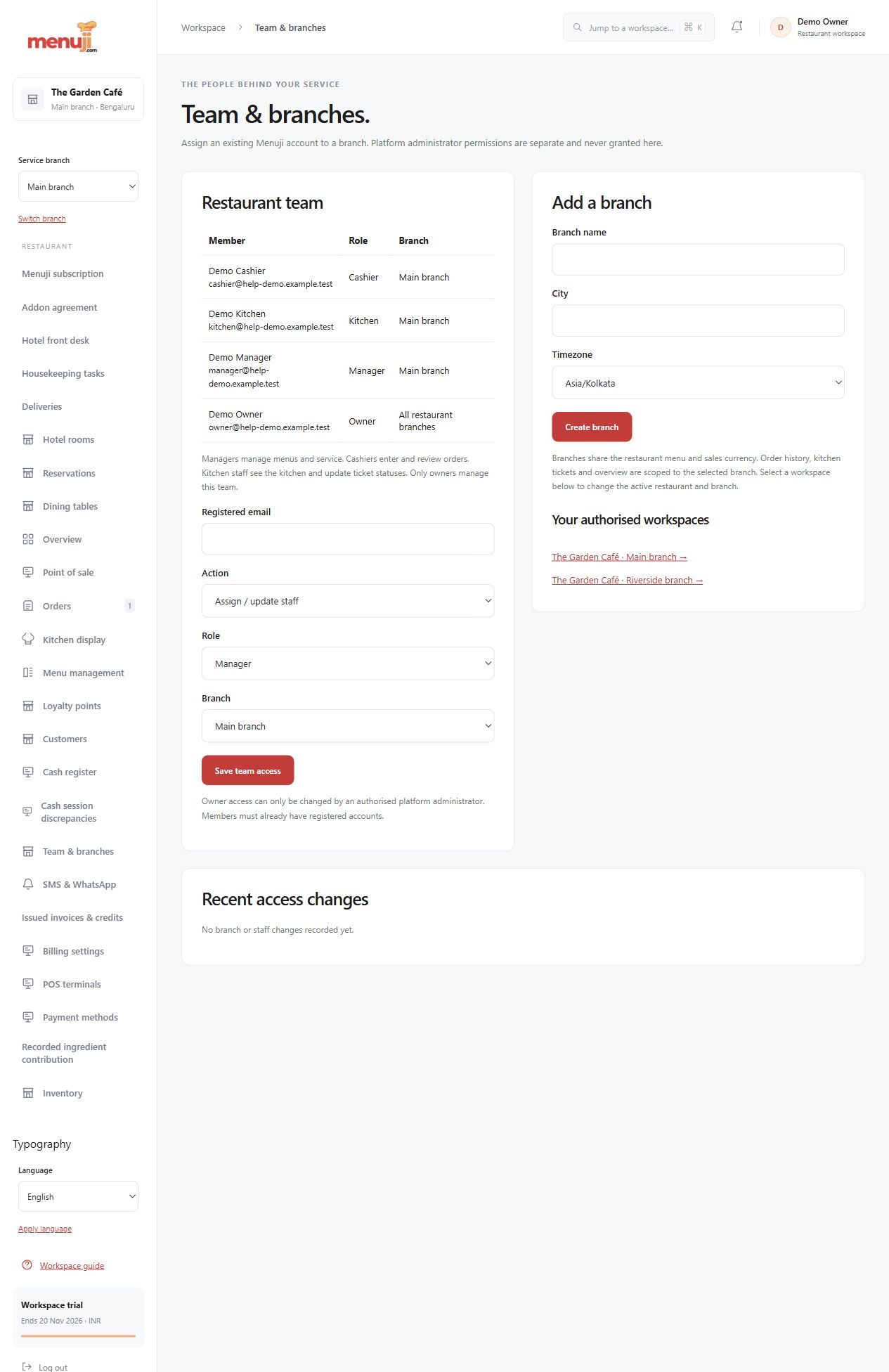
Team & branches. Give each person a clear workspace.
Owners, cashiers and kitchen operators need different actions. Set up access around the work each person performs.
Branch context
Supported setup and switching keep operational work in the selected restaurant and branch.
Role-aware navigation
Owner, manager, cashier and kitchen controls determine which supported pages and actions are available.
Controlled terminals
Where enabled, paired POS terminals add revocation, attribution and configured allowances without sharing platform administrator credentials.
- 01
Set up branches in scope.
- 02
Configure staff with the appropriate roles.
- 03
Test representative actions as each role.
Check the details.
Terminal allowances and addon access depend on the plan and configuration. Secure individual accounts and remove access when responsibilities change.
Good questions.
Can I switch branches?
Supported branch setup and switching are implemented. Confirm your rollout and plan scope before purchase.
Should everyone share the owner login?
No. Individual accounts and appropriate roles keep permitted actions and responsibilities clear.
Bring your menu.
Walk through a real order.
Explore the workflow, check the details and choose the setup that fits your restaurant.