
Tables & reservations. Prepare for the next arrival.
Connect the dining-room plan with the team’s recorded seating and reservation work.
A configured table plan
Maintain supported dining-table records and capacity information for the correct branch.
A reservation journey
Supported scheduling, confirmation, seating and completion retain history rather than treating a booking as a loose note.
Coordinate dining context
Use supported links between occupancy, service and eligible dine-in ordering. Review shared-seating and customer-request rules for your setup.
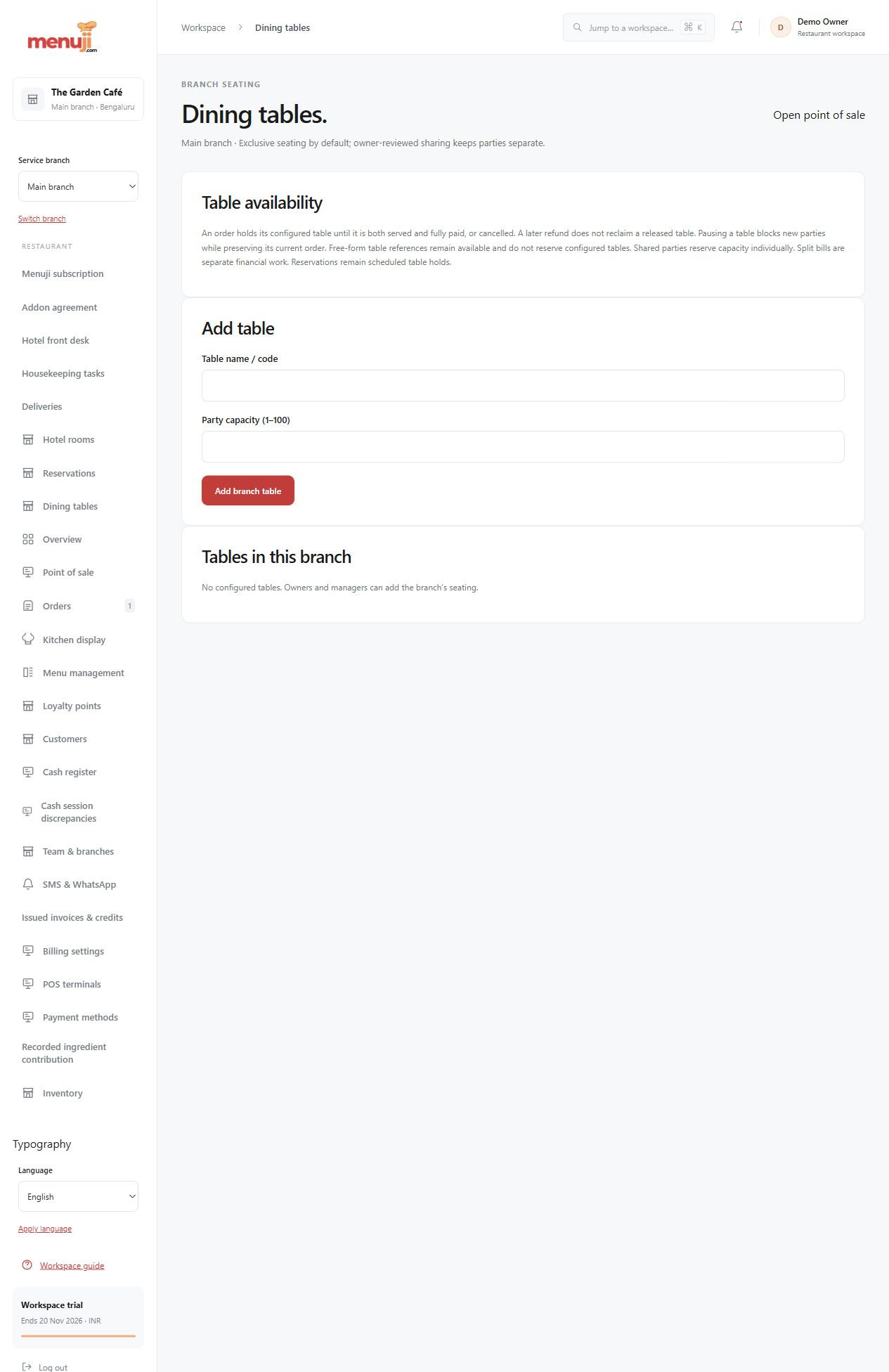
- 01
Review tables and capacities.
- 02
Enter and confirm a representative booking.
- 03
Seat, complete and inspect its history.
Check the details.
Table-sharing, reservation and customer-request eligibility depend on current state and configuration. Staff still need a real-world process for arrivals and special requirements.
Good questions.
Are reservations supported?
Yes. Supported staff scheduling and lifecycle workflows are implemented; confirm required customer and API channels.
Does a table label mean it is free?
Review current supported occupancy and reservations, and confirm the physical dining-room situation.
Bring your menu.
Walk through a real order.
Explore the workflow, check the details and choose the setup that fits your restaurant.