
Menu & choices. A menu that keeps up with service.
Give every dish a clear place, keep choices understandable and stop unavailable dishes becoming avoidable service problems.
Organise the working menu
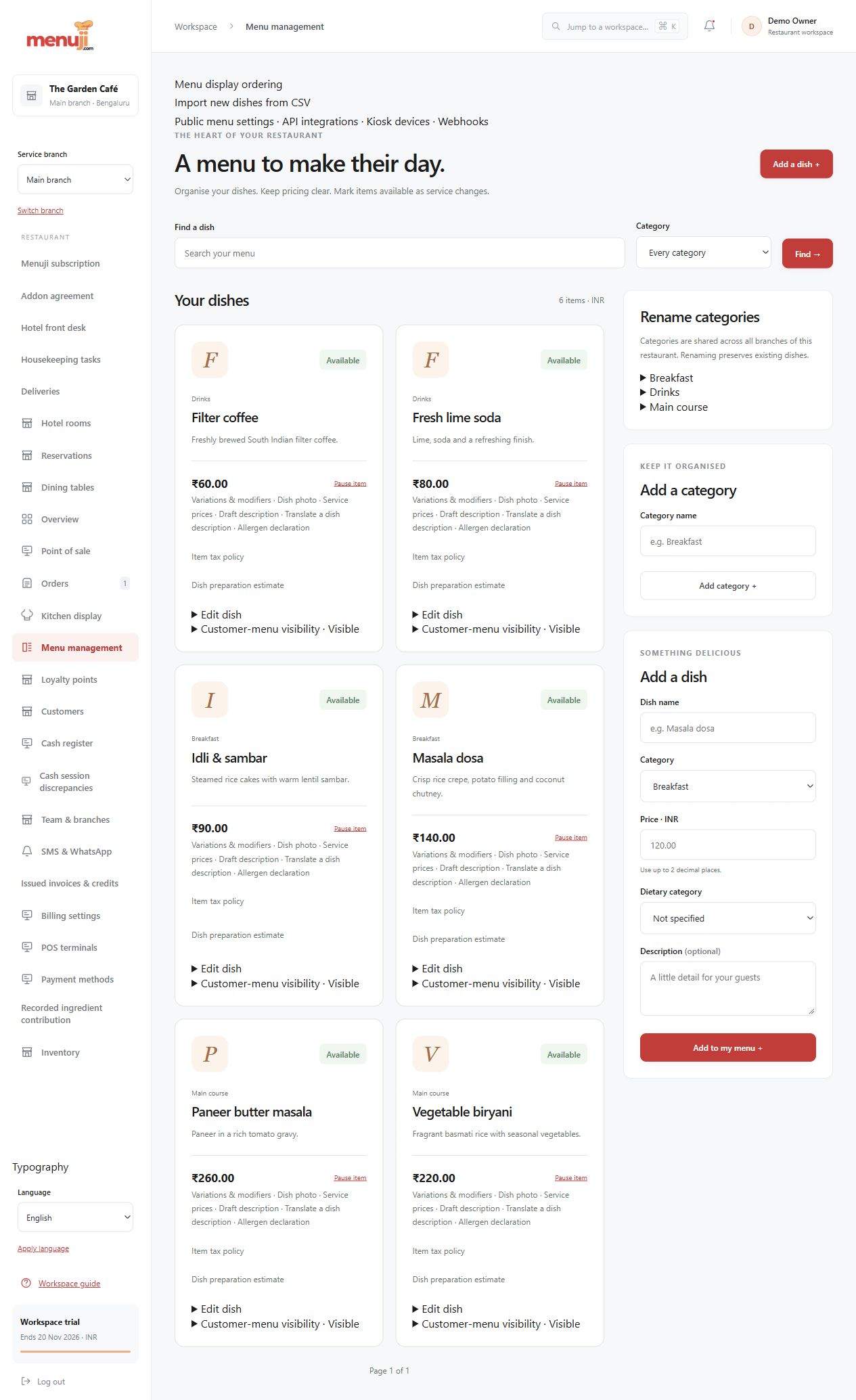
Maintain categories, descriptions, dietary labels, prices and availability. Supported CSV workflows help with structured maintenance.
Offer supported choices
Publish reviewed variations and modifiers with their price and, where configured, recipe implications. Historical orders retain their captured choices.
Connect the right channels
Use the menu in staff ordering and eligible published customer experiences. Review availability before service and pause unsupported demand when necessary.
- 01
Build categories and dishes.
- 02
Review prices, choices, recipes where used, and availability.
- 03
Publish supported choices and test the staff and customer views.
Check the details.
Dietary labels are restaurant-authored information, not an allergen guarantee. Recipe-linked stock deductions require Inventory configuration; a manual availability switch is not a stock count.
Good questions.
Are variations and modifiers supported?
Reviewed menu choices and publication are implemented within supported ordering workflows. Test your exact menu and reward combinations.
Can I export the menu?
A permission-controlled basic menu CSV export is implemented. Import and export formats have defined fields and validation rules.
Bring your menu.
Walk through a real order.
Explore the workflow, check the details and choose the setup that fits your restaurant.