
Restaurant workspace
Menu catalogue, photos & CSV
Maintain dishes, prices, photos and customer visibility, with reviewed CSV workflows for structured updates.
Built for the work you do.
- Organise dishes into categories with descriptions and dietary labels.
- Pause unavailable dishes and manage customer visibility separately.
- Arrange the supported display order and preparation information.
- Attach supported dish photos and preview a validated menu CSV import.
- Download a permission-controlled basic menu export.
Before you switch it on
Dietary labels do not replace allergen-safety procedures. CSV formats have defined fields; this is not a complete historical migration from another POS.
Discuss your setup ↗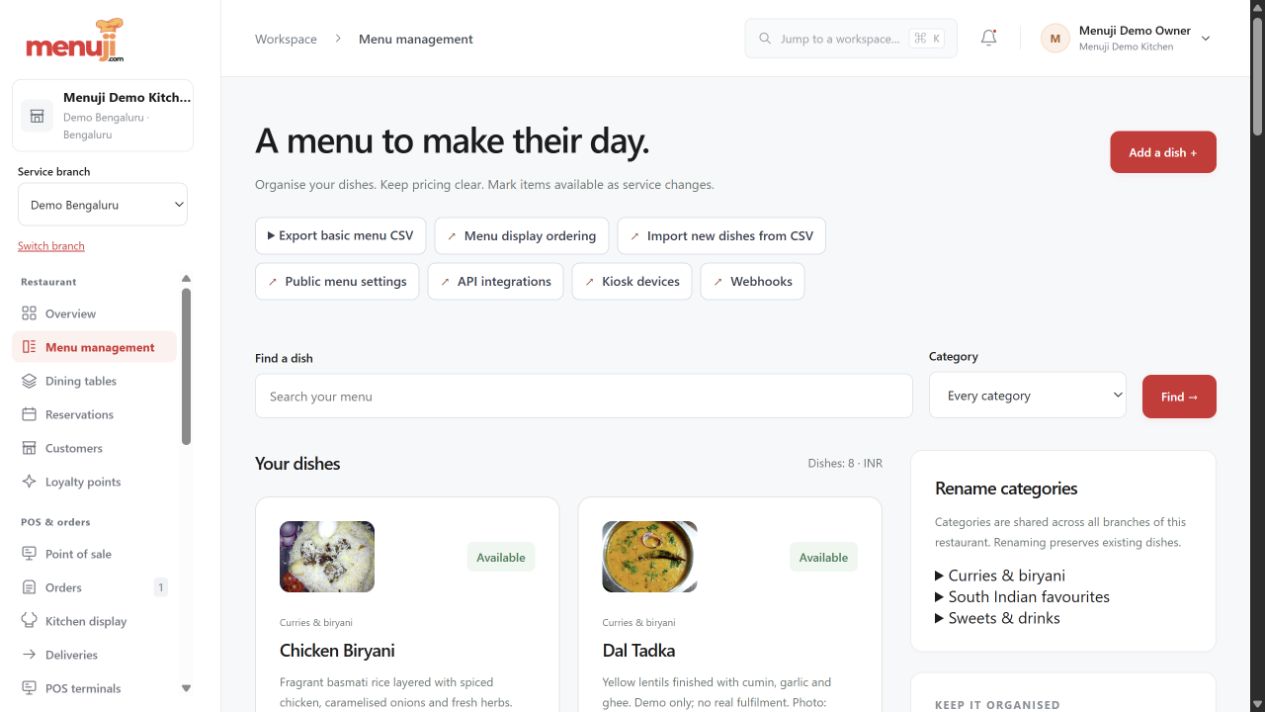
Menuji Demo Kitchen · Current app capture · Sample data. Photo credits.
MAKE THE NEXT SERVICE YOUR STARTING POINTBring your menu.
Bring your menu.
Make room for good service.
Start with your restaurant account, explore the workflow and find the setup that fits your team.